
Computer Overheating? 7 Warning Signs Your PC Isn't Ready for the Adelaide Summer
Is your computer overheating? Discover 7 warning signs and prepare for the Adelaide summer with professional PC cleaning and repairs at CK Computers.
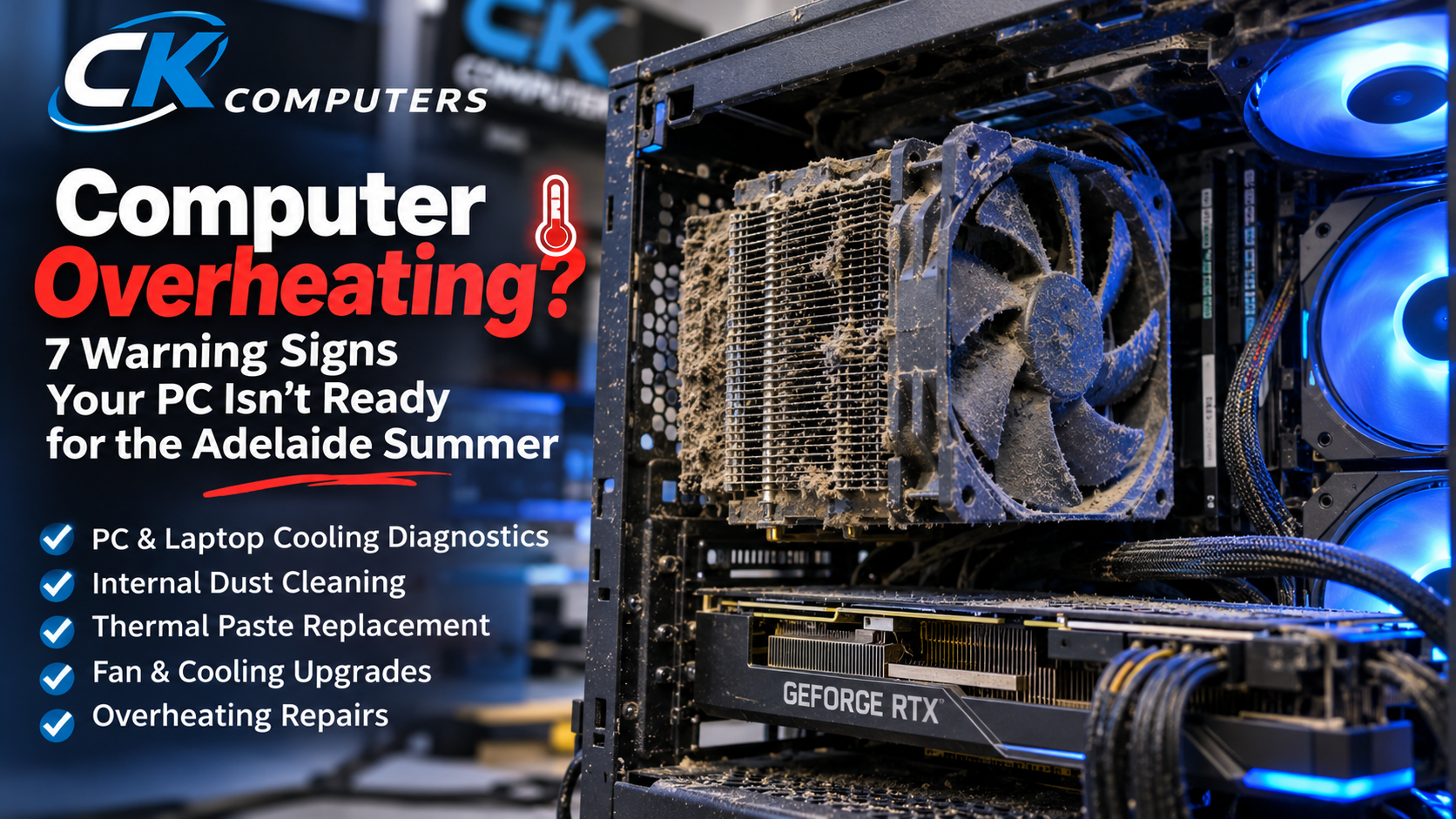
With summer approaching in Adelaide, now is the perfect time to make sure your computer's cooling system is working properly.
Whether you own a gaming PC, business workstation, laptop or everyday home computer, rising room temperatures can make it more difficult for your system to stay cool.
Dust buildup, restricted airflow and failing cooling fans can contribute to poor performance, unexpected shutdowns and system instability.
7 warning signs your computer may be overheating
1. Your computer fans are unusually loud
If your computer fans are constantly running at high speeds, even during basic tasks, your cooling system may be struggling.
While increased fan noise during gaming is normal, excessive noise during everyday use could indicate restricted airflow, dust buildup or a cooling system fault.
2. Your computer randomly shuts down
Modern processors have built-in thermal protection mechanisms designed to protect them from excessive heat.
If temperatures become too high, your computer may shut down unexpectedly. Power supply faults and other hardware problems can also cause similar symptoms, making professional diagnostics important.
3. Your gaming performance suddenly drops
Experiencing lower frame rates, stuttering or reduced performance after gaming for a period of time?
Your CPU or graphics card may be experiencing thermal throttling. This occurs when components reduce their operating speed or power consumption to help control temperatures.
4. Your laptop becomes unusually hot
Laptops naturally generate heat, particularly during demanding tasks such as gaming, video editing and rendering.
However, excessive heat accompanied by loud fans, reduced performance or unexpected shutdowns may indicate a cooling problem.
5. Your computer freezes or crashes under load
If your computer regularly freezes, crashes or restarts during demanding tasks, excessive heat could be a contributing factor.
Similar symptoms can also result from memory faults, graphics card problems, software issues or unstable power delivery. Identifying the underlying cause is essential before replacing components.
6. Your computer displays temperature or fan warnings
Some computers display temperature warnings, CPU fan errors or other cooling-related messages during startup.
These warnings should not be ignored. A failing fan, incorrectly installed cooler or faulty liquid cooling pump may require attention.
7. Your computer performs worse during hot weather
Most conventional computer cooling systems rely on transferring heat into the surrounding air.
As room temperatures increase, cooling your components becomes more challenging. A computer that operates normally during winter may begin experiencing cooling problems during Adelaide's hotter summer days.
What temperature should your computer run at?
There is no single safe operating temperature that applies to every computer. Different processors, graphics cards and laptop designs have different operating temperature limits.
Some modern processors are designed to operate at relatively high temperatures during demanding workloads without experiencing a fault.
The important factors include:
- Your specific CPU and graphics card models
- Temperatures during idle and demanding workloads
- Whether your system is experiencing thermal throttling
- Whether temperatures exceed manufacturer specifications
- Whether your computer is experiencing crashes or shutdowns
Professional temperature monitoring and stress testing can help determine whether your computer is operating as intended.
How to keep your computer cool this summer
You can take several simple steps to improve airflow and reduce the risk of cooling problems:
- Keep your computer in a well-ventilated area
- Avoid enclosed cabinets that restrict airflow
- Use laptops on a hard, flat surface
- Keep air intake and exhaust vents unobstructed
- Avoid placing your computer in direct sunlight
- Clean accessible dust filters according to manufacturer instructions
- Avoid leaving computers and laptops inside hot vehicles
- Arrange professional internal cleaning and maintenance when necessary
Always shut down and disconnect your computer from power before undertaking cleaning.
If your computer continues to experience excessive temperatures or unexpected shutdowns, stop demanding workloads and arrange an inspection.
Professional computer cleaning and overheating repairs in Adelaide
At CK Computers in Prospect, we provide a range of computer maintenance, diagnostic and cooling services, including:
- Internal dust removal
- Fan and heatsink cleaning
- CPU and GPU temperature diagnostics
- Thermal paste replacement
- Cooling fan replacement
- Airflow optimisation
- CPU cooling upgrades
- Liquid cooling solutions
- Thermal and stress testing
- Laptop overheating repairs
- Gaming PC maintenance
Our approach is to identify the underlying problem before recommending repairs or upgrades.
Standard workshop computer repairs begin with an $80 diagnostic fee, followed by a clear repair quote for your approval.
Can't bring your computer into our workshop?
With ClickFix Collect, you can arrange professional computer repairs without leaving your home or business.
A courier collects your computer and transports it to our Prospect workshop, where we diagnose the fault, complete approved repairs and test your system before arranging return delivery.
Find out more at www.ckcomputers.com.au/clickfix/
Don't wait until your computer stops working
Regular computer maintenance can help improve reliability, maintain cooling performance and reduce the risk of heat-related problems.
Whether you're a gamer, business owner, student or everyday computer user, now is a great time to prepare your computer for the Adelaide summer.
Want a hand?
We help Adelaide businesses and households with computer cleaning, overheating repairs, cooling upgrades and professional hardware diagnostics.
Visit CK Computers at 276 Prospect Road, Prospect, book online at www.ckcomputers.com.au or call 0434 385 444.
Afterpay, Humm and PayPal available.